
x
A quiet front porch, a sleeping neighborhood, and a single notification on a phone can now reveal what once stayed hidden in the dark. As technology reshapes ordinary routines, households are rethinking how they watch over doors, windows, deliveries, and loved ones.
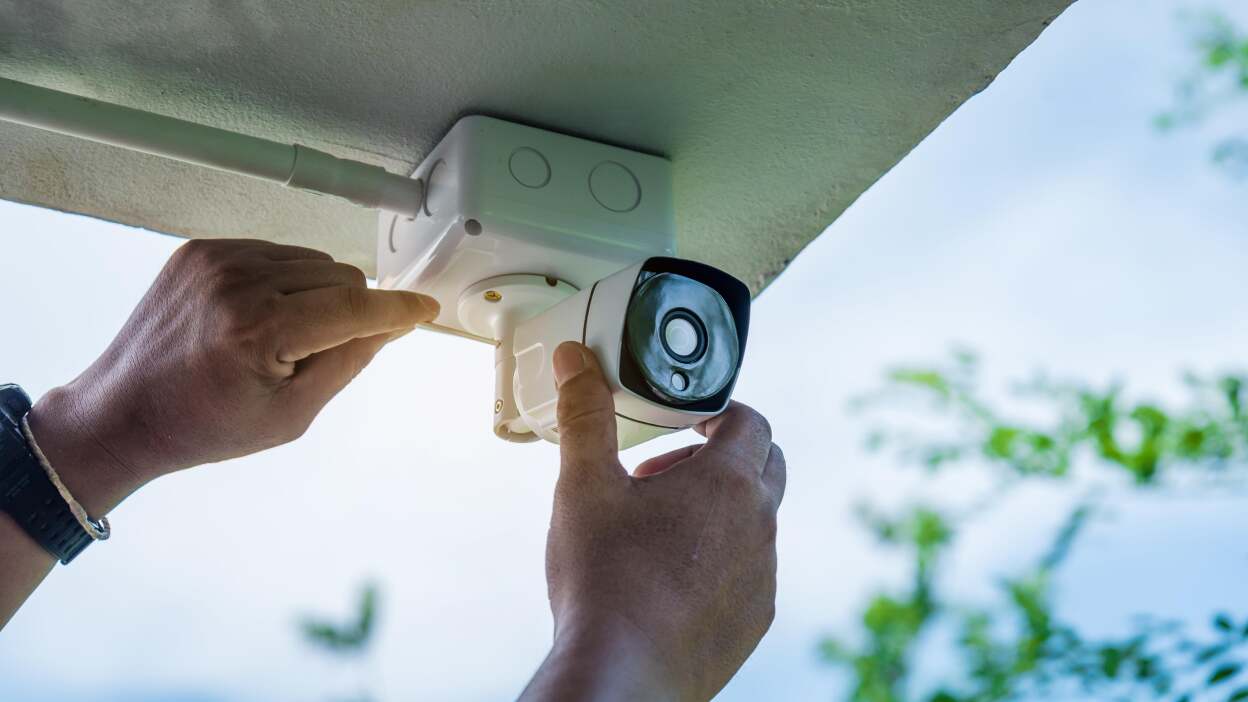
Older alarm setups worked like car horns with a power cord. A door or window opened, a motion sensor tripped, and a siren tried to wake every neighbor on the block. In theory, that noise scared off intruders and drew attention. In practice, it often just created chaos. Pets, kids, burned toast, or a loose latch could trigger the same shriek as a real break‑in. Over time, neighbors tuned it out, and many owners quietly disarmed systems just to get some peace. The risk didn’t disappear; the tool simply became too annoying to use every day. That gap between “secure on paper” and “livable in reality” set the stage for a softer, smarter approach.
Modern systems flip the script from “blast first, figure it out later” to “understand first, act with intent.” A small banner on a phone saying “Back door opened” with a clip attached is more helpful than a mystery siren echoing at home. Because alerts travel over networks, they can reach you at work, on the road, or on vacation, and you can respond with a tap. The system can rank events by importance, track unusual patterns, and reserve loud alarms for truly urgent situations. That shift cuts false alarms, reduces stress, and builds a habit of actually leaving the system armed. Instead of being a noisy guest, protection becomes a calm, always‑available presence in the background.
Small, networked cameras now sit where bulky wired gear once struggled: near porches, driveways, stairwells, and family rooms. They stream video to phones, store clips in the cloud or on local cards, and can send quick previews when something moves. For many households, the main use isn’t dramatic crime footage; it’s checking that kids got home, confirming a delivery, or seeing whether that bump outside was a raccoon or a person. Features like night vision, two‑way audio, and activity zones help focus on real events instead of every passing shadow. Instead of requiring constant watching, these cameras serve as on‑demand windows you open only when needed.
Magnetic contacts on doors and windows, motion detectors in hallways, glass‑break sensors near big windows, and environmental detectors for smoke or leaks quietly carry much of the workload. They do the boring job humans are bad at: noticing every small change, all the time. When a rarely used side door opens, or internal movement appears while the system thinks nobody should be home, you get a focused ping. Environmental sensors expand the idea of safety beyond intruders to cover fires, flooding, and frozen pipes. Their real power shows up when they trigger other actions—starting recording on cameras, turning on lights, or sending a higher‑priority alert if multiple signals stack up at once.
Keypads, phone‑based credentials, and other forms of access control are replacing spare keys under mats. Smart locks let you create codes for family, neighbors, dog walkers, or cleaners, each with time limits and logs of use. Instead of worrying whether a key was copied, you can simply remove a code. Many locks can tie into the broader setup: when someone trusted unlocks the door, certain sensors can disarm, interior lights can turn on, and cameras can shift to softer settings. That balance of convenience and awareness makes it easier to share access without giving up control of who enters and when.
The first real decision is not “which brand” but “how hands‑on.” A self‑installed kit asks you to peel, stick, pair devices, test coverage, and handle future tweaks. For gadget‑friendly households, that can be satisfying: move a sensor, rename a room, add a new camera whenever you like. A professionally installed setup sends a technician to map your space, suggest placements, and deal with drilling, ladders, and tricky corners. That helps in bigger homes, unusual layouts, or older buildings with dense walls. It also reduces the chance that a critical entry point gets overlooked. Thinking honestly about your patience for installation and troubleshooting usually points clearly toward one style or a blend of both.
Upfront equipment prices and ongoing service fees can look very different on paper. Self‑installed packages often emphasize lower hardware costs, flexible month‑to‑month plans, or app‑only oversight with no recurring charge. Professionally installed systems often bundle higher‑end gear with long‑term agreements that include monitoring and support. A useful way to compare is by looking at several dimensions, not just the first bill:
| Decision angle | Self‑installed focus | Professionally installed focus |
|---|---|---|
| Upfront effort | Owner plans, installs, and tests devices | Technician designs layout and completes setup |
| Ongoing role | Owner reviews alerts and adjusts settings | Service team handles more tuning and support |
| Flexibility | Easier to move or reconfigure with life changes | Often more stable but less portable |
| Comfort level | Best for people who like tech projects | Best for those who want a managed experience |
Seeing the trade‑offs this way helps frame “cheap” and “expensive” more realistically: you’re deciding how to pay, in both dollars and time, for the level of support you want.
Many modern kits start with the idea that the homeowner watches their own alerts. A door opens unexpectedly, your phone buzzes, you open a clip, and decide whether to ignore, call a neighbor, or contact help. That can be enough if you’re frequently on your phone and rarely far from service. Round‑the‑clock professional watch centers add another layer: signals go not only to you, but also to trained staff who follow call trees when something looks serious. That matters if your phone dies, you’re in a meeting, or you’re traveling across time zones. Some services now let owners switch between modes or add backup only for certain high‑risk periods, offering a more flexible middle ground.
A studio apartment, a townhouse with shared walls, and a detached house at the edge of town face very different risks and routines. Renters often prioritize wireless gear that leaves minimal marks and can be packed up on moving day. Owners may be more willing to invest in hardwired pieces, outdoor coverage, or longer‑term service plans. Households with frequent visitors might lean on access codes and entry logs, while quieter homes might focus resources on the perimeter and exterior lighting. The key is to map a typical week: who comes and goes, when the place sits empty, where deliveries land, and which rooms you truly care about watching. That map should drive choices more than any spec sheet.
Good setups reduce friction instead of adding rules. Used well, they mean fewer panicked drives home to check if the garage door is shut, fewer “Did the kids get in yet?” texts, and fewer arguments about who lost which key. You might arm the system with a single tap when you leave, then let automation handle the rest: lights dim, certain indoor cameras pause, and entry sensors quietly guard doors and windows. When someone returns, a recognized unlock can ease coverage in lived‑in areas while keeping sheds, basements, or side gates watched. For kids coming home alone, a quick notification that a familiar code just unlocked the door is enough to settle a lot of background worry.
Any camera, microphone, or cloud connection raises reasonable questions about who can see or hear what. Many households now draw clear lines: cameras only at entrances and common areas, no video in bedrooms; audio on only where it truly adds value; recording limits and deletion schedules set intentionally. Access to apps and clips should be limited to those who genuinely need it, with sign‑ins protected by strong passwords and extra verification steps. Choosing gear that offers local storage, encrypted connections, and transparent settings helps keep sensitive details closer to home. That balance lets people enjoy the benefits without feeling constantly watched in their own space.
How do I choose the Best Home Security 2026 system for my house size and layout?
Focus on systems offering room-by-room customization, battery-backed wireless sensors, smart camera analytics, and compatibility with your existing Wi‑Fi and smart devices, then compare monitoring options and total 3–5 year ownership cost.
When are Professional Monitoring Services worth paying for instead of self-monitoring?
They’re most valuable if you travel often, have kids or elderly at home, own high‑value items, or live in higher-crime areas, since operators can verify alarms and dispatch police or fire even when you miss phone alerts.
What should I look for in Wireless Alarm Systems to avoid interference or dropouts?
Check for dual-path communication (cellular plus Wi‑Fi), long-range encrypted sensors, strong battery life, and a reputable brand that publishes signal specs and offers professional site evaluations for challenging floorplans.
How can Local Security System Installers help with Smart Home Security Integration?
Local installers can map blind spots, integrate locks, lights, cameras, and thermostats into one app, configure automations like “away” scenes, and fine‑tune settings to meet local building codes and first-responder practices.
What’s the advantage of No Contract Home Security and DIY Security System Comparison tools online?
No-contract setups let you switch providers or self-monitor anytime, while comparison tools help you weigh 24/7 Monitoring Packages, equipment costs, and Burglary Protection Systems, then request multiple Home Security Quotes Online.