
x
A sudden trip on the front steps, a dizzy spell in the kitchen, a disoriented walk that ends blocks from home—these moments turn abstract worry into urgent reality. As more older adults live independently, families search for quiet, reliable technology that can bridge distance in a crisis.
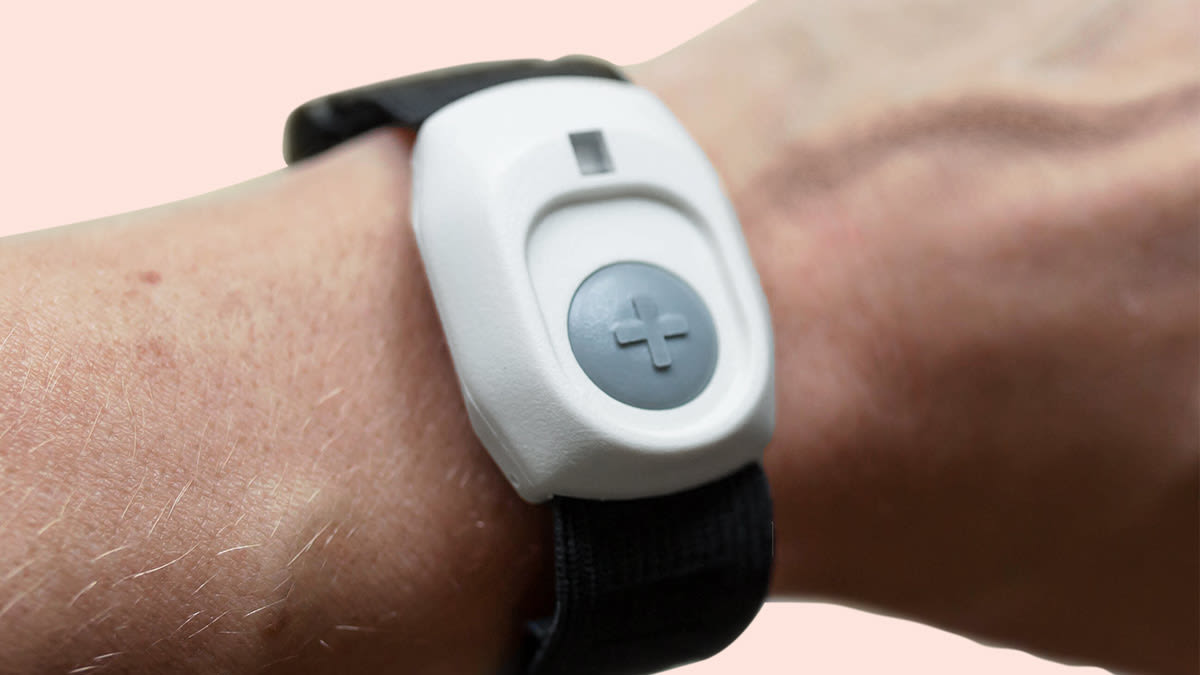
Many dangerous events for older adults start with “almost.” A hand grabs the counter in time, a shoulder bumps the hallway wall, knees buckle for a second and then recover. From the outside, it feels tempting to say, “Good thing you didn’t go all the way down.” Inside the body, though, that near‑miss may already mean balance, strength, or blood pressure control is slipping.
Muscles work harder to steady each step, reaction time stretches, and vision or attention may fade just enough that clutter, pets, and loose rugs become serious hazards. A single misstep can lead to soreness, slower walking, fear of moving, and then less activity. Less movement speeds up loss of strength, which raises the odds of the next real fall. What looks like one lucky save can actually be the first link in a long chain toward lost confidence and reduced independence.
Those “caught myself” moments also uncover hidden medical problems. A brief blackout, heart rhythm changes, low blood sugar, infection, or medication side effects all show up as sudden weakness or dizziness. If the episode ends without an ambulance, families often shrug it off. Yet early attention—calling a clinician, checking medications, changing nighttime lighting, clearing floor hazards—can stop minor episodes from repeating.
Modern alert tools are most powerful when they notice patterns, not just one emergency. They are not only buttons for when someone is already on the floor. Worn consistently, they can capture how often a person stops sharply, grabs furniture, or moves in a new, unsteady way. That steady stream of information can nudge families to act before a broken bone, not after it.
Many current wearables contain motion sensors that feel every stride, pause, and twist. Instead of watching just step counts, they look at rhythm, speed changes, and side‑to‑side sway. For example, a person who used to walk with smooth, even steps may suddenly show more short shuffles, stiff turns, or abrupt halts. To the eye, daily walks still look “fine.” To the sensor, the pattern now screams, “Working much harder to stay upright.”
The advantage is that these devices observe real life, not a careful walk down a clinic hallway. People perform their best for appointments; they slow down, stand taller, and concentrate on each step. At home, carrying laundry, turning quickly to answer a door, or walking to the bathroom half asleep, balance problems appear. A wearable that quietly tracks these real moments gives families and clinicians a more honest picture of risk.
Fast swings in motion—like a sudden lurch forward that gets caught on a chair, or a quick drop followed by a grab at the counter—show up as unusual spikes in the sensor data. When those spikes cluster over a few days, the system can flag a rising risk, even if no one has actually landed on the floor yet.
Some services translate this into gentle alerts to caregivers: activity has dropped sharply, unsteady episodes are increasing, or night‑time wandering has spiked. Instead of waiting for a crisis, a daughter might call and ask, “You’ve seemed extra wobbly at night lately; should we move that rug and add a night‑light?” Small changes like rearranging furniture, adjusting footwear, or reviewing medications can then cut the chance of a true emergency.
| Scenario type | What the device “sees” | Helpful next step for families |
|---|---|---|
| More shuffling indoors | Short steps, slower turns, extra pauses | Clear walkways, remove loose rugs, add grab bars |
| Frequent night episodes | Repeated motion from bed to bathroom overnight | Improve lighting, review fluids and medications |
| Sudden drop in activity | Fewer steps, more time lying or sitting | Check for pain, mood changes, or new health issues |
| Cluster of near‑falls | Sharp motion spikes that stop abruptly | Call clinician, consider extra monitoring support |
Seeing everyday movement this way turns vague worry into specific questions and practical fixes, instead of waiting for the first big fracture to force urgent changes.
In some setups, pressing the button connects directly to a trained monitoring team. The device opens a hands‑free call through a base speaker or the wearable itself. Staff members quickly confirm who is calling, ask simple questions about pain, breathing, and any fall, and judge how serious the event seems. If needed, they contact emergency responders and family, relaying details so everyone knows what is happening.
When the situation is less urgent—mild dizziness, a slow slide to the floor, a frightening but brief episode—they guide the caller to a safer position, discourage risky self‑rescue attempts, and help decide whether to bring in family, neighbors, or urgent care. For older adults who live alone or dislike “bothering” relatives, that neutral, trained voice can be easier to use than calling a loved one directly.
Other systems send alerts first to a list of chosen contacts. A button press may trigger phone calls, text messages, or app notifications to adult children, neighbors, or friends. If someone answers quickly, the event stays inside the personal network. That works well for situations like “I slipped and need help standing,” “my blood pressure cuff looks odd,” or “I woke up scared and need to talk.”
Still, families have jobs, travel, and dead‑zones for cell reception. Many people therefore choose a hybrid: relatives get the first call, but if no one responds within a short window, the alert rolls over to a monitoring center. That mix keeps loved ones involved without leaving the older adult unprotected during long meetings, overnight flights, or camping trips.
| “Other side of the button” | Main strengths | Possible downsides |
|---|---|---|
| Professional center | 24/7 coverage, trained triage, coordinates help | Monthly fees, talking to strangers |
| Family contact only | Familiar voices, emotional comfort | Missed calls, varying availability |
| Direct emergency dialing | Fastest link to responders in true crises | Too intense for minor issues, fear of “overreacting” |
Understanding who answers—and how decisions are made—helps families choose setups that match both health risks and personalities.
Comparing services often starts with headline numbers: equipment price, activation fee, and monthly rate. Those figures matter, but they do not reveal comfort, reliability, or how often the device will actually be worn. A low monthly bill means little if calls drop, buttons are hard to press, or alerts arrive late. Paying a bit more for clearer audio, faster response, or easier wear can quietly save stress and, in real emergencies, minutes.
Real‑world cost also depends on how long the system will be used. A larger one‑time purchase may make sense for several years of use, especially if it lowers ongoing fees. Short‑term needs—such as recovery after surgery or a period of extra frailty—may fit better with lower upfront costs, even if the monthly rate is somewhat higher.
Some companies sell equipment outright; others treat it as rental that must be returned if service stops. Installation may be free, self‑guided, or require a paid visit. Contracts can be month‑to‑month or lock families in for longer periods, sometimes with penalties for early cancellation. Battery replacement, extra chargers, cosmetic bands, or added features like automatic fall detection may each bring separate charges.
It helps to ask direct, simple questions: How easy is it to cancel? Who pays if a device breaks or is lost? How often must it be charged, and how difficult is that for someone with limited hand strength or vision? Are “bonus” features bundled only in higher‑priced tiers? Answers to those questions often matter more than a small difference in listed monthly cost.
The most realistic plan tends to satisfy three conditions: the older adult is willing to wear or use it, the family can afford it over time, and the technology works reliably in daily conditions at home and outside. If any leg is weak, the system will eventually sit unused in a drawer.
A practical approach is to start from daily life, not from marketing brochures. Sketch a rough picture of where hours are spent—bedroom, living room, kitchen, porch, neighborhood sidewalks, rides with friends. Mark which stretches are truly alone versus surrounded by other people. Then, fit devices and monitoring types to those real‑world patterns and rank priorities: clear audio and simple buttons first, extra analytics later if money and interest allow.
When older adults join the decision, trying on pendants and bands, listening to demo calls, and weighing costs together, the final choice usually feels less like a burden and more like a shared safety net that protects freedom instead of limiting it.
How do senior medical alert devices with fall detection systems actually work?
Most use motion and barometric sensors plus algorithms to distinguish falls from normal movement, then auto‑trigger an alert if the senior doesn’t cancel within seconds, sending data and GPS to a monitoring center or caregiver app.
What should I look for in the best medical alerts 2026 for mobile seniors?
Prioritize nationwide LTE coverage, precise GPS, long battery life, water resistance, clear audio, caregiver apps, and flexible plans, plus UL‑listed or TMA‑certified professional monitoring for reliable emergency response.
Are no-monthly-fee alert systems a safe alternative to professionally monitored options?
They’re fine for households with nearby, responsive caregivers, but rely on contacts answering calls; for seniors living alone or high‑risk, 24/7 professional monitoring offers faster, more consistent emergency response.
How can I compare life alert cost with other elderly safety devices and services?
Calculate total 3–5‑year costs, including activation, equipment, cellular add‑ons, fall detection, and cancellation fees, then compare feature sets—GPS, mobile coverage, caregiver tools, and pendant or wrist options—against your risk profile.
When is a medical alert pendant better than a smartphone app or smartwatch?
Pendants suit seniors who dislike tech, forget phones, or have dexterity or vision issues; they’re simpler, often fully waterproof, with one large emergency button and direct link to monitoring without app navigation.