x
Wondering how Robux gift cards, codes and credit actually work, especially when buying or redeeming them from Australian retailers? This guide walks through safe purchase, official Roblox redemption and code verification steps, plus what to try and who to contact when a gift card will not redeem correctly.
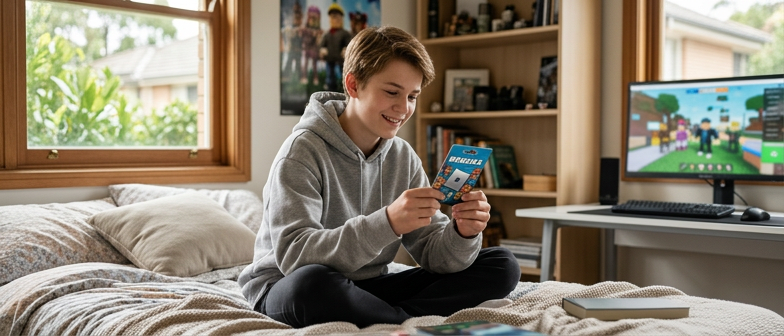
For Australian buyers, there are two straightforward routes: buy Robux through Roblox itself, or buy a Roblox gift card and redeem its code on the intended Roblox account. A standard gift card usually adds account credit first; it does not automatically mean the same number of Robux appears in the balance.
This guide takes you through the purchase and redemption process, explains the Australian-dollar credit, and gives you official starting points for finding sellers. It does not sell cards or offer a fixed AUD-to-Robux exchange rate.
Start at the official Roblox gift-card page with Australia selected. Its retailer section lists Bamboo, JB Hi Fi, Mighty Ape, Prezzee and Woolworths, and it also links to online gift-card purchasing. Those are useful starting points, not a promise that a particular card is in stock at every branch. Open the retailer from the official page, then choose the product and delivery method available for your Australian address.
For a purchase that adds Robux directly, use the official Robux purchase page while signed in to the correct account. Roblox also documents purchasing through its apps. Compare the actual Robux quantity and full price shown for the chosen channel; do not compare only the size of the payment button. Official purchase options.
The Australian gift-card terms give a concrete example: an AU$100 gift card redeems for AU$100 of Roblox account credit. That is not a statement that AU$100 always buys a fixed quantity of Robux. Robux pricing and availability can change; the current purchase screen supplies the applicable quantity.
| Product | What redemption adds | Next action |
|---|---|---|
| Standard Roblox gift card | Roblox account credit | Use the credit for an eligible purchase through Roblox |
| A code specifically sold for Robux, including the Amazon and Party Pack exceptions in Roblox's guide | Robux rather than Roblox Credit | Follow the instructions for that exact code |
| Robux purchased directly through Roblox | The Robux package bought for that account | Confirm the account, quantity and total before paying |
The exceptions are documented in Roblox's redemption guide. Read the card description before buying it as a gift: someone wanting flexible account credit may not want a Robux-only code.
Checking the seller and product before buying is different from redeeming a code. Entering a code at Roblox’s official redemption page and selecting Redeem applies it to the signed-in account; it is not a neutral way to check somebody else’s unused code. Confirm the intended account first.
This guide covers official Roblox gift cards, redemption and support. It does not verify third-party reward apps or explain errors inside those apps.
Use a browser for standard mobile or console accounts. Samsung Galaxy users have a separate in-app option in the official guide. Credit must still be used for an eligible purchase; it is not already Robux.
Choose the maximum amount you intend to spend first. Then compare offers for the same account and product. An AU$25 credit card and a package described as a number of Robux are different units; compare the final Robux quantity or eligible use after understanding the credit step. Do not assume a universal conversion or a guaranteed bonus from the card value alone.
Before confirming, the useful details are the seller, exact product, currency, total charge, destination account and redemption instructions. If the price is not displayed in AUD, establish what will actually be charged before accepting it. These are transaction details you can inspect directly, rather than claims about somebody else's account balance.
Check similar-looking characters in the code, then contact the official support link in the redemption guide if it still fails. Keep the receipt and error screenshot; send sensitive details only through verified support.
A supposed Robux generator is not another buying method: Roblox states that no such generator exists. Use the official explanation when an offer depends on generating or multiplying a balance. For a child's purchase, use parental consent and an agreed spending limit; the Australian terms require adult consent for under-18 redemption.