
x
If you are weighing 5G home internet against fibre or satellite for everyday and remote work use, this guide outlines how 5G home internet works, typical costs and documentation in the UAE, coverage checks, and what to expect at peak hours.
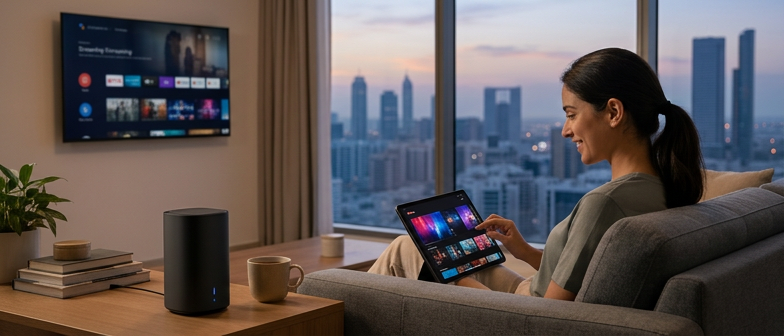
5G home internet is a fixed wireless broadband service that uses fifth‑generation mobile networks to deliver high‑speed connectivity through a dedicated router instead of a cable or fibre line. The router is designed to stay in one place, serve multiple devices, and provide stable performance for everyday use. Nearby 5G base stations send a signal to the router over radio waves, and the router then creates a private Wi‑Fi network for laptops, smart TVs, and other devices. For households without fibre or for those wanting simple installation, it can be an alternative way to get online without drilling or complex wiring.
This type of service relies on wider bandwidths and advanced antenna technologies compared with earlier mobile standards, helping support activities that need consistent speeds, such as remote work, online study, and cloud tools. Performance depends on outdoor coverage strength, distance to the nearest 5G site, and indoor factors like building materials that weaken signals. Before choosing it for work, study, or shared use, it is advisable to review operator coverage maps or availability checks to see whether the service is offered in your area and what speeds are typically supported, then compare those figures with your needs for video calls, large file transfers, and use by several household members.
5G home internet coverage can vary sharply between neighbourhoods, buildings and even individual apartments, so it is useful to check recent online maps and then confirm availability through each provider’s official channels. A location that shows strong 5G on a mobile phone may still deliver weaker indoor performance for a fixed router, and the footprint for home internet can differ from mobile and from wired broadband. Basic eligibility usually requires proof of identity and residence, and some operators ask for tenancy records such as Ejari or similar registration, while others may accept alternative documents for shared housing or short stays. Because documentation, deposits and installation conditions are set by each provider and can change, brief promotional statements about easy approval or minimal paperwork should be treated as advertising and verified against current contract terms. When comparing home internet packages, it is helpful to consider typical indoor signal strength, any usage or speed management rules, and whether the router must stay at one registered address or can be moved later with prior agreement.
5G home connections can suit renters who want to avoid construction work, households that move often, and families seeking an extra line alongside existing fiber or cable. People working remotely may find them practical because set-up is usually quick and the router can be placed where reception is strongest, yet actual reliability still depends on local coverage and how busy the network is at peak hours. For activities such as video meetings, cloud tools and large file transfers, stable upload and download performance matters more than headline speed figures, so checking real performance at different times of day before relying on a single wireless service for important tasks can be useful. Anyone who expects to change apartments or cities should confirm early whether their agreement allows the router to be relocated, what approval process applies, and how these conditions compare with wired options such as fiber.
To see whether 5G home internet is available at your location, start with operators’ online coverage maps or availability checkers. These tools usually let you search by building or neighbourhood and indicate if fixed 5G service is offered nearby. Because this is only an initial guide and not a guarantee for a specific apartment, borderline cases are normally confirmed by contacting customer support or visiting a sales outlet.
For address requirements, providers generally ask for documents showing you are authorised to use the home where the router will be installed. Depending on local rules and each operator’s policy, this could be a tenancy contract, registered lease, or other property‑related proof. If you lack standard tenancy registration or are unsure what is accepted, check with the provider before submitting an application.
5G home internet and fiber mainly differ in how they deliver speed, stability and latency. Fiber relies on optical cables and typically offers very consistent high bandwidth and low ping, including during busy evening periods. 5G uses mobile radio signals, so performance depends on coverage, distance to the site, building materials and local traffic. In dense urban areas, 5G download rates can be similar to entry‑level fiber plans, but users often experience larger fluctuations, especially when many households are online at the same time.
Peak‑hour behaviour matters when comparing home internet packages. Fiber links are designed for stable capacity along fixed cables and are usually less sensitive to rush‑hour demand. Wireless 5G shares radio resources and can slow down when the network is crowded or indoor signal quality is weak. Installation, however, is generally simpler for 5G because it avoids new cabling and drilling, which can suit apartments or tenants who need flexibility or may move home. For heavy evening streaming, online games or video calls, it is useful to review typical speeds and any fair‑usage conditions instead of focusing only on advertised maximums.
Satellite systems such as Starlink follow different trade‑offs. They can connect properties with limited mobile or fixed‑line coverage, including remote or desert locations, but latency is normally higher than fiber and often higher than well‑served 5G, which can affect real‑time applications. Weather, unobstructed sky view and rooftop mounting also influence satellite performance. When comparing providers, residents can look at availability maps, expected speed ranges and monthly costs including equipment. In many city homes, fiber is usually the most consistent option where it is available, 5G offers quick setup and easier relocation, and satellite is most relevant for areas where ground networks remain sparse.
5G home internet often slows in busy evening hours because many homes share the same cell capacity. Speeds and latency vary when the router is far from a window, blocked by thick walls, or placed in corners of high‑rise buildings with weaker indoor signal. Weather usually has minor impact, though heavy rain or dust can slightly reduce stability if the radio network is already congested.
Compared with fiber, wireless 5G access is more sensitive to congestion and building layout, while fiber’s dedicated cables tend to keep speeds steadier. Satellite options such as Starlink bring different limits, including higher latency and performance drops when many users share one beam or when the dish has a partially obstructed view of the sky.
A 5G home internet setup uses a wireless router that connects to the mobile network and shares the signal over Wi‑Fi or Ethernet. When comparing providers, check whether the router is included in the monthly fee, charged separately, or paid upfront, as this affects total cost. Some higher‑spec devices with stronger antennas or Wi‑Fi 6 support may involve extra charges, so it is useful to confirm warranty terms, replacement rules, and whether the router is locked to one operator or can later be reused with another service.
Most 5G home routers are designed for self‑installation. Typical steps are checking or inserting the SIM card, placing the router where mobile signal is strongest, and connecting your phone or laptop using the Wi‑Fi name and password printed on the device. You then log into the router page or app to complete activation. For remote work or frequent video calls, it helps to test different locations, keep the router away from thick walls, and install firmware updates when available to support stable performance.
Because this service depends on mobile coverage rather than a fixed line, many residents want to know what happens when they move. Some contracts allow you to take the router to a new address as long as you keep the same subscription and there is suitable coverage, but policies differ. Before relocating, review your agreement, ask whether an address update or reactivation is required, and confirm if the device must be returned or can be kept, especially if you plan to change to another 5G home internet provider.
What is 5G home internet?
It is fixed wireless broadband that uses 5G mobile signals and a home router to provide Wi‑Fi at a specific address instead of on‑the‑go phone data.
How is it different from fiber at home?
Fiber usually offers more stable high speeds and lower latency through optical cables. 5G speeds vary more because they depend on signal quality and how busy nearby cells are.
Can I get 5G home internet in the UAE without Ejari?
Requirements vary. Some providers ask for Ejari or similar proof of residence, while others may accept different documents. You need to confirm current rules with the operator.
Is the 5G router included, and can I move it to a new home?
Certain plans include the router, others charge extra. Moving it to another address usually requires informing the provider and following any contract limits on where it can be used.
Is 5G home internet suitable for remote work?
It often supports common remote tasks, but speeds and latency may drop when many users share the network. For very stable video calls, compare real performance with fiber or satellite options.